








ChatClip for Web Apps
- Paid
- 4.9
- V1.0.0
Turn a chat conversation into a video
ChatClip – Turn a Text Conversation into a Shareable Video
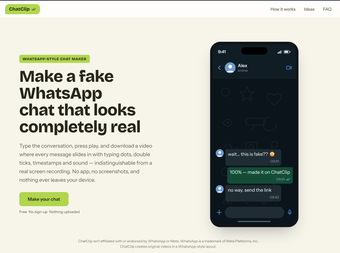
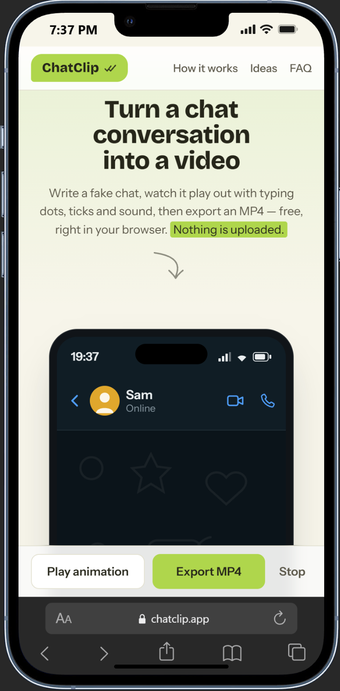
ChatClip is a free, browser-based tool that turns a script you write into an animated chat conversation — bubbles popping in, typing indicators, read receipts — and exports it as a downloadable MP4 video. Instead of screen-recording a real messaging app, you type both sides of a fake conversation, preview it playing out inside a realistic phone frame, and export the result as a video file ready to post to TikTok, Reels, Shorts, or anywhere else.
Everything runs locally in your browser. There's no account to create, nothing to install, and no conversation data is uploaded to a server — the whole app works client-side using your browser's own video and audio engines.
Key features
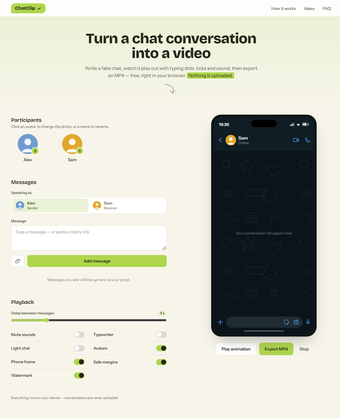
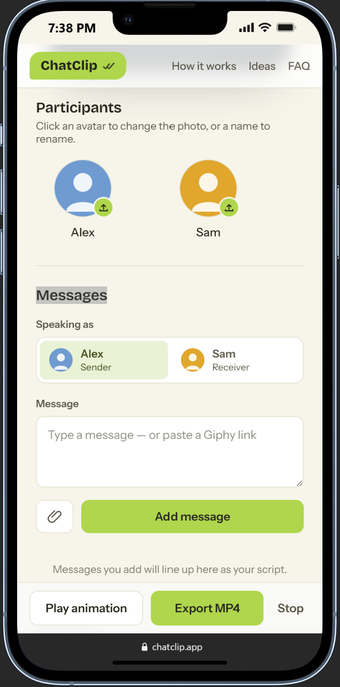
Two-person chat builder – set custom names and avatars for both participants and write out the full back-and-forth message by message.
Realistic phone-frame animation – messages appear with authentic bubble pop-in, typing dots, and timing, previewed live inside a phone mockup before you export anything.
One-click MP4 export – render your finished conversation straight to a video file, with sound effects and typing sounds synced frame-accurately to the visuals.
Light and dark chat themes – switch the whole conversation's look to match the mood of your video.
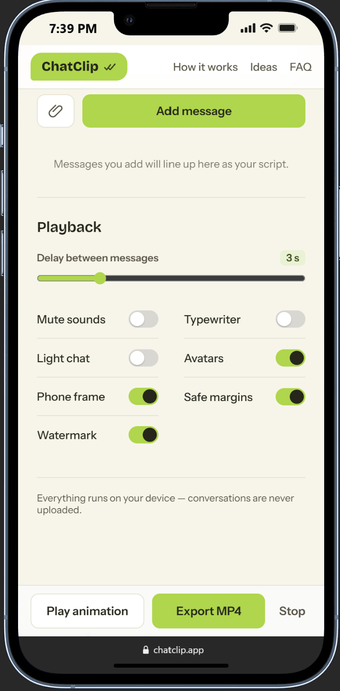
Typewriter and mute toggles – control whether messages type out letter by letter and whether notification sounds play.
GIF support – paste a Giphy link into a message to drop an animated reaction straight into the conversation.
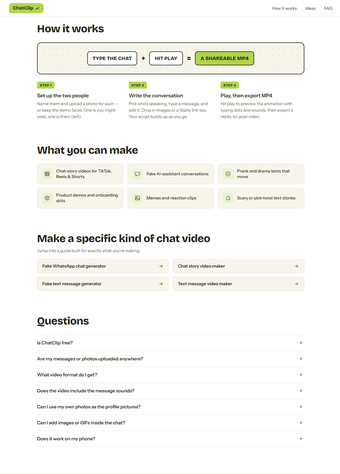
How it works
Add your two participants and give each one a name and avatar.
Write the conversation one message at a time, choosing which side each message is sent from.
Hit play to preview the animation exactly as it will appear in the final video, right inside the phone-shaped stage.
Adjust theme, sound, and typing-effect settings until it looks right.
Export — ChatClip renders the video in your browser and saves it as an MP4, either via a save dialog or straight to your downloads folder.
What's new in this version
A small, fully optional "ChatClip" watermark now appears on exports by default, with a free toggle to switch it off entirely — there is no paywall or premium tier at this time, so every feature, including watermark-free export, is free to use.
Improved audio/video sync on the export pipeline for smoother, glitch-free playback across devices, including iPhone.
Refined visual polish across the phone preview and animation timing.
System requirements and limitations
Runs entirely in the browser — works on desktop and mobile, no installation needed.
Best experience on modern Chromium-based browsers (Chrome, Edge) thanks to built-in hardware-accelerated video encoding; other modern browsers fall back to a compatible recording method automatically.
No sign-up, login, or payment required — the app is currently 100% free, including video export and the watermark-removal toggle.
Best suited for short-form, two-person conversations; group chats with more than two participants are not yet supported.
Nothing you type is sent to a server for storage — your script and any avatar images stay in your browser.
Why people use it
ChatClip is built for creators, meme-makers, marketers, and anyone who needs a believable fake text conversation for a video — comedy skits, story-time content, mock product reviews, prank formats, or narrative shorts — without the hassle of manually screen-recording a phone and editing sound effects in afterward.
Loading…
App specs
Developer
License
Full
Version
1.0.0
Latest update
Platform
Web Apps
OS
Safari
Language
English
Available languages
- Spanish
- English
- French
- German
- Italian
- Portuguese
- Russian
Program available in other languages
ChatClip for Web Apps
- Paid
- 4.9
- V1.0.0
User reviews about ChatClip
Have you tried ChatClip? Be the first to leave your opinion!
Add reviewTop downloads Chat & Instant Messaging for Web Apps
Top downloads Chat & Instant Messaging for Web Apps
Top downloads Chat & Instant Messaging for Web Apps
Related topics about ChatClip
Latest articles

The new The Walking Dead game now has a release date

Villanova University study: AI fiction scores higher, but human labels win trust

Europe is still winning the AI boom in 2026: just not in foundation models

Android Auto comes to boats in 2027: Crest and Balise first

SpaceX’s Starship Flight 14 targets its first tower catch this month
Laws concerning the use of this software vary from country to country. We do not encourage or condone the use of this program if it is in violation of these laws. Softonic may receive a referral fee if you click or buy any of the products featured here.